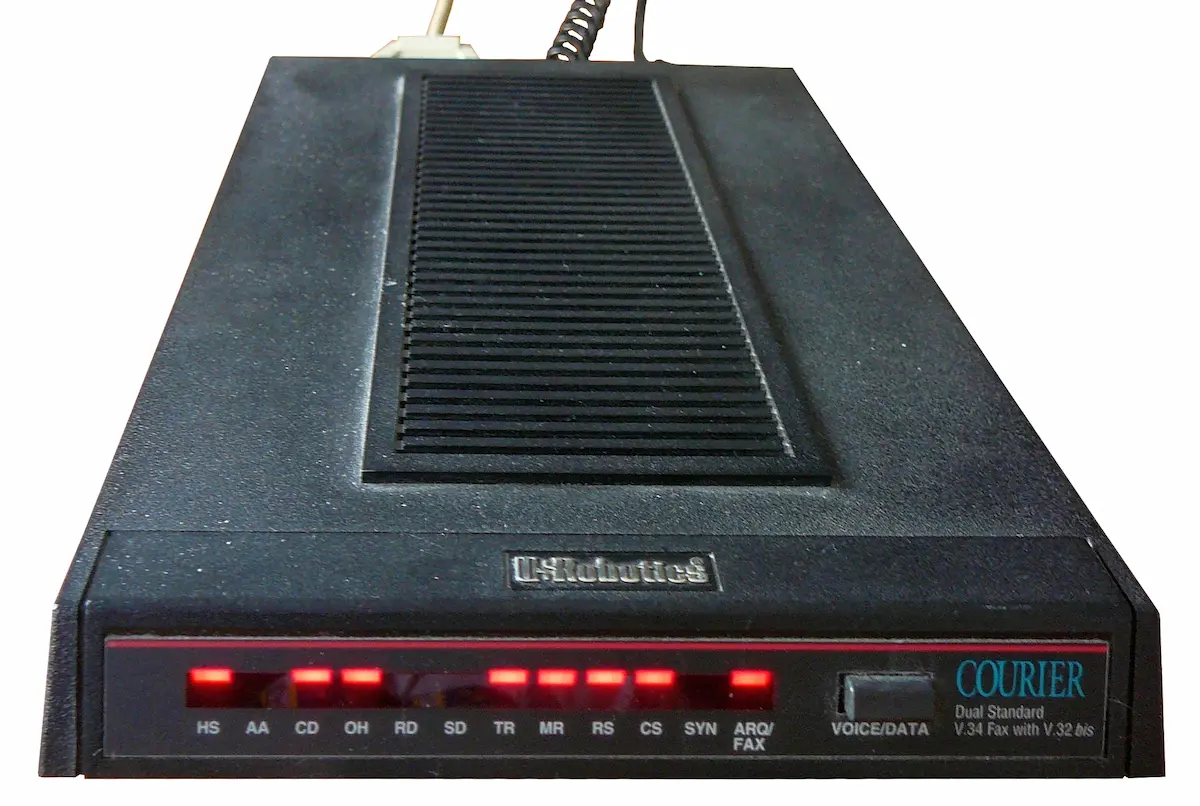
For many of us who came up in the BBS era, the USRobotics Courier isn’t just a modem — it’s the modem. Even in an age of fiber, VoIP, and cloud services, the Courier remains the gold standard for connecting retro systems, running dial-up BBSes, and just enjoying the smooth, reliable performance that analog communication was always meant to feel like.
In this guide, we’ll explain:
- What makes the Courier special
- Why it’s still relevant for BBS today
- Where you can realistically find one — both new and used
What Is the USRobotics Courier?
The USRobotics Courier line of modems dates back to the mid-1990s, but several models — especially the V.Everything series — are still considered the best all-around external modems ever made.
The Courier was designed for real world reliability:
- Exceptional line negotiation
- Strong echo cancellation
- Excellent fax support
- Robust handshake and carrier detection
This makes it far more usable and predictable than most generic low-cost modems, particularly over imperfect or VoIP-backed connections.
Why It’s Still Great for BBS
1. Legendary Line Handling
The Courier was engineered to operate in real phone environments, not just lab conditions. It handles:
- Noisy lines
- Echo
- Variable line quality
better than most modems you’ll find today.
That matters for dial-up BBSes because even modern VoIP gateways still expose analog line quirks.
2. AT Command Support You Can Rely On
For sysops and hobbyists, AT commands are essential:
- Auto answer
- Scripting
- Speed negotiation
- Logging
Many cheap modems cut corners on command support; Couriers rarely do.
3. Versatility Across Protocols
Courier modems aren’t just good for classic 14.4 / 28.8 / 33.6 kbps communications.
They also:
- Run well at 2400, 9600, and other BBS-friendly speeds
- Support fax (important for “fax over IP” setups)
- Work consistently with servers and scripts
This versatility makes them a great fit not just for dial-up BBSes, but also for retro hardware projects.
4. Build Quality & Longevity
These units were built to last:
- Solid steel / metal cases
- Replaceable cables and connectors
- Modular power supplies
They easily outlast generic “USB modem” dongles that fail after a few months.
Courier Models Worth Knowing
There were many variants, but these are the ones enthusiasts still seek:
- Courier V.Everything Series
Best all-around model; supports most analog protocols and fax modes. - Courier HST and 33.6 Models
Great for highest practical speeds in the analog era. - External vs Internal
External modems are easier to interface with modern setups and debug.
Whatever you choose, prioritize AT command compliance and good handshake behavior — things Couriers excel at.
Where to Get a Courier Today
Because these modems are no longer manufactured new in significant quantities, there are really two realistic sources:
1️⃣ Used / Vintage Units (Best Source Today)
Your best bet for an authentic live Courier is on the secondary market.
For example:
👉 USRobotics Courier on eBay
Use this affiliate link to see currently available units:
https://analognode.net/affiliate/ebay/usrobotics_courier
eBay search links often show a variety of:
- Courier V.Everything units
- Older Courier 33.6 & 14.4 units
- OEM and boxed versions
- Units with original cables / manuals
Remember: vintage modems do vary in condition, so check:
- Whether it powers up
- Included cables
- Seller feedback
These modems are often sold for $20–$120 depending on model and condition.
2️⃣ New-ish USB Analog Modems
There are newer analog modems on AliExpress and other marketplaces, but most are:
- Cheap clones
- Poor AT command support
- Unpredictable on VoIP or real lines
If you want a modern fallback, choose only devices known to:
- Support transparent AT command sets
- Behave correctly with analog signaling
- Not drop carrier on idle
For links to current products worth testing, see the Resources → Modems section of this site.
Using a Courier on Modern Infrastructure
If you’re running a BBS today, you’re likely doing one of:
☎ Real PSTN Dial-up
- Put the Courier on a real phone line
- Accept incoming calls
- Let vintage software do its thing
📡 VoIP with an ATA
A recommended setup is:
- Courier ↔ ATA (like Linksys PAP2T / Grandstream)
- ATA ↔ VoIP provider
- BBS answers calls forwarded by SIP
The Courier’s quality handshake and command set make this a far smoother experience than cheaper modems.
What to Watch Out For
- Condition matters: internal capacitors can age
- Power supplies: external PSUs might be swapped
- Cables: serial cables vary (DB25 to DB9 adapters are often needed)
But because the Courier was built well, most units still work decades later.
Final Thoughts
The USRobotics Courier remains the de facto modem of choice for serious BBS operators — not because it’s nostalgic, but because it’s sturdy, reliable, understandable, and compatible with both legacy and modern bridging scenarios.
If you want a modem that:
- supports real AT command control
- plays nicely with VoIP constructs
- survives long use
- and just works
…a Courier is hard to beat.
👉 Looking for a good unit?
Check current listings here:
https://analognode.net/affiliate/ebay/usrobotics_courier
Image courtesy of Bortzmeyer; edited by Pittigrilli. Licensed under CC BY-SA.